 RVP Underwriter
Feature · Dealmaker
The Pre-Populated Excel Underwriting Model
Every Dealmaker deal generates a real Excel workbook, already filled in with your normalized numbers. Not a blank template, your deal, ready to flex.
See inside the model
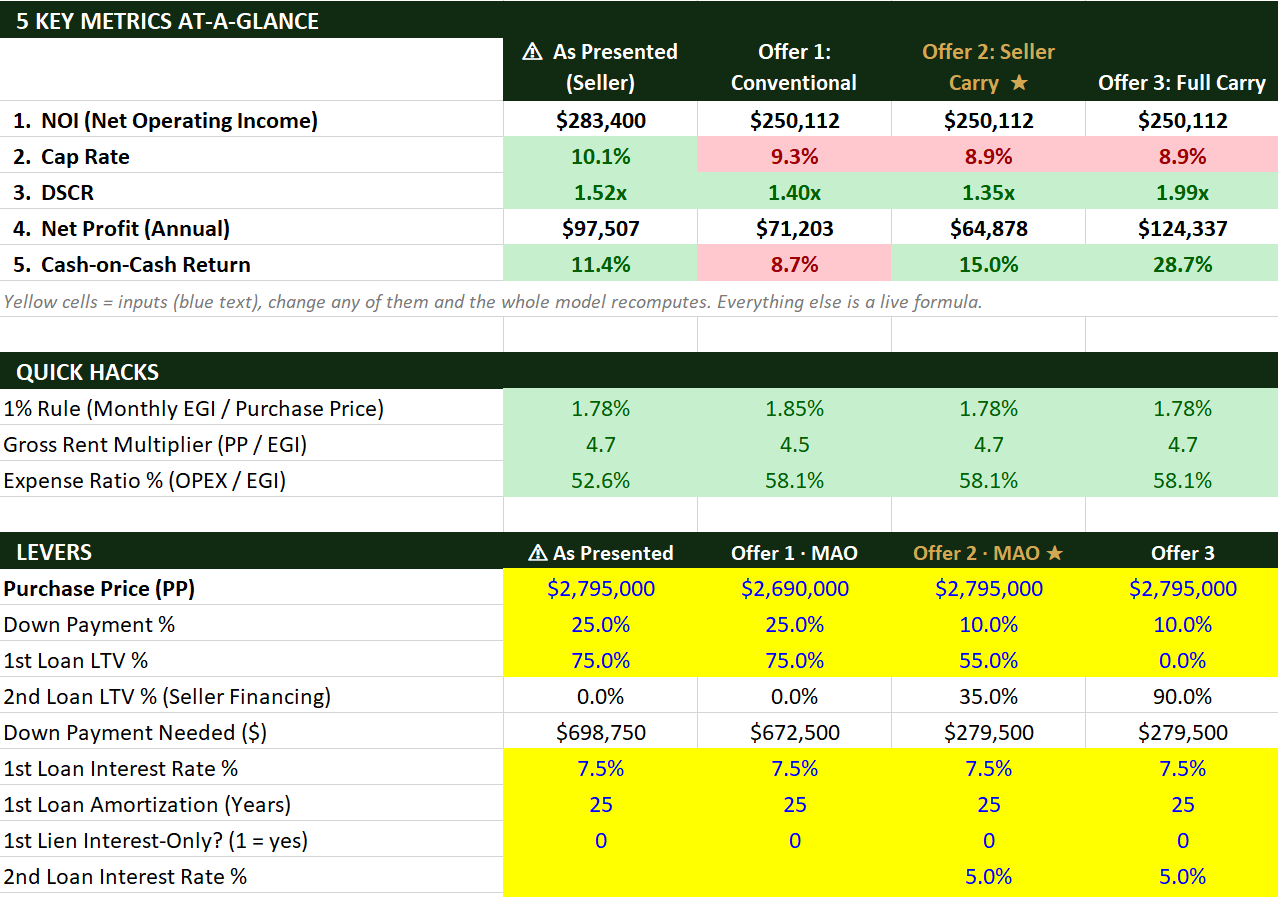
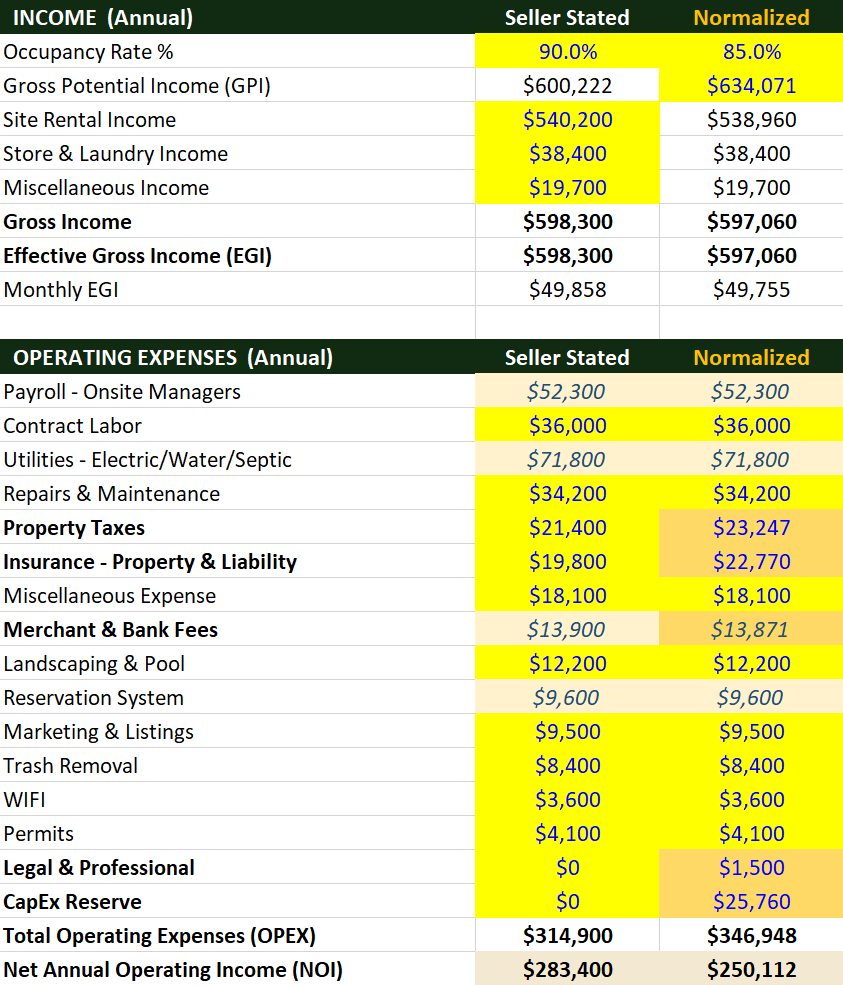
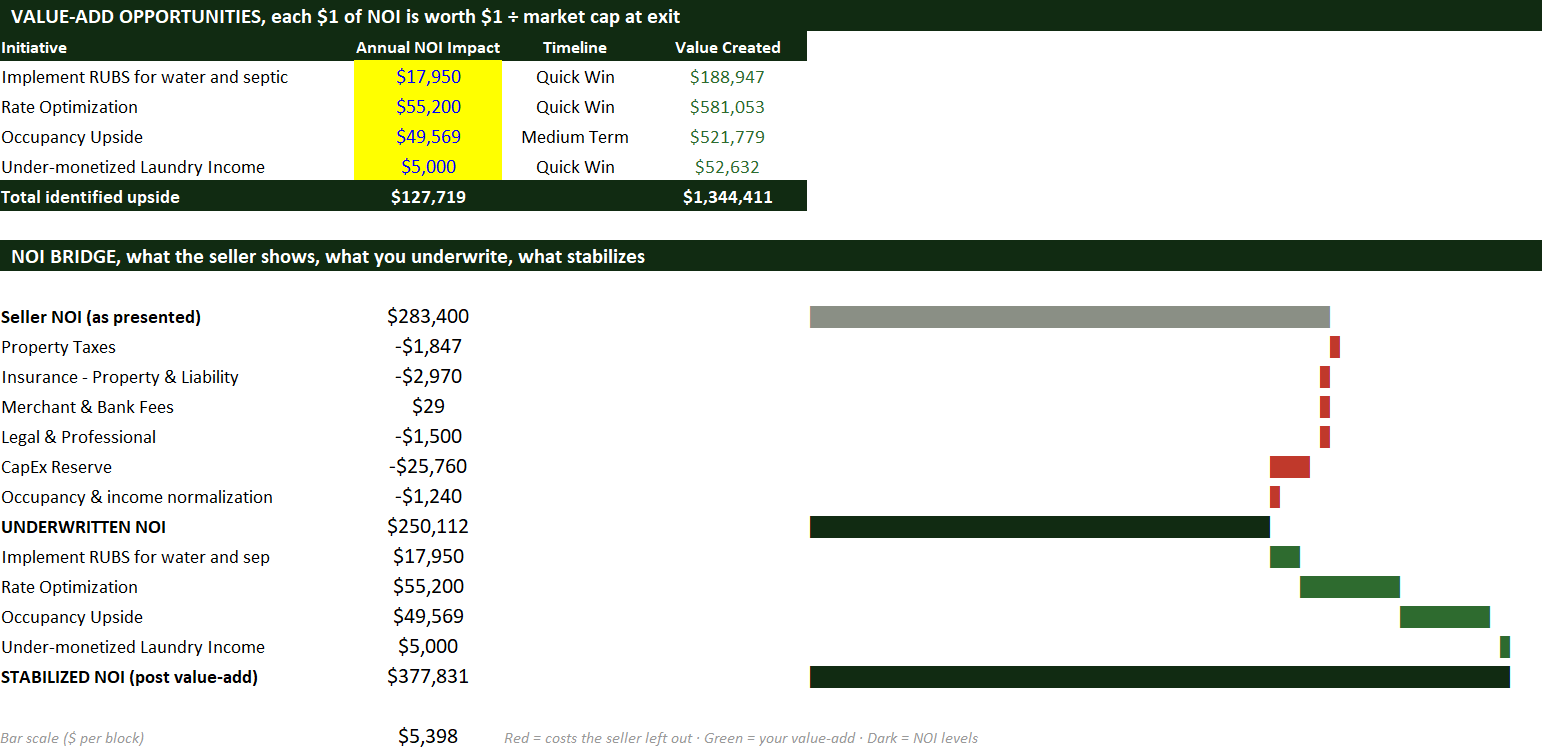
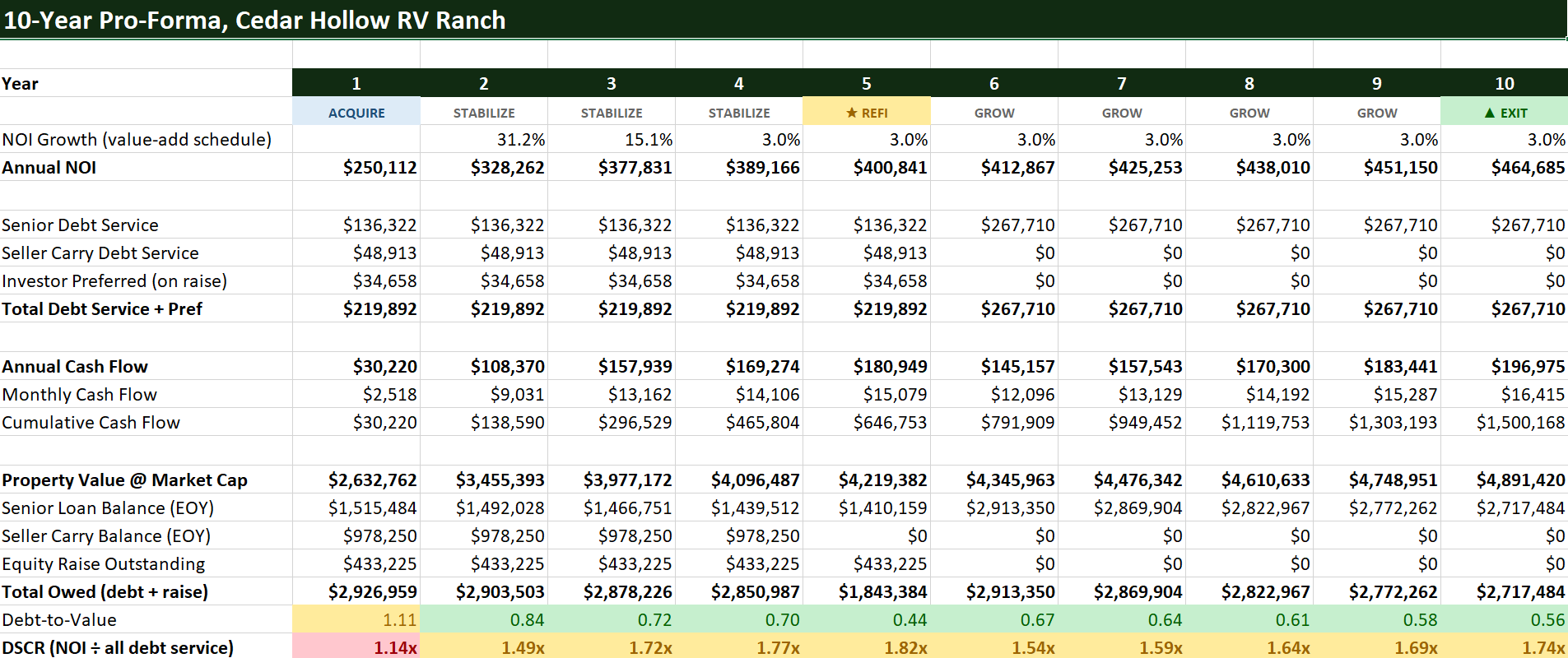
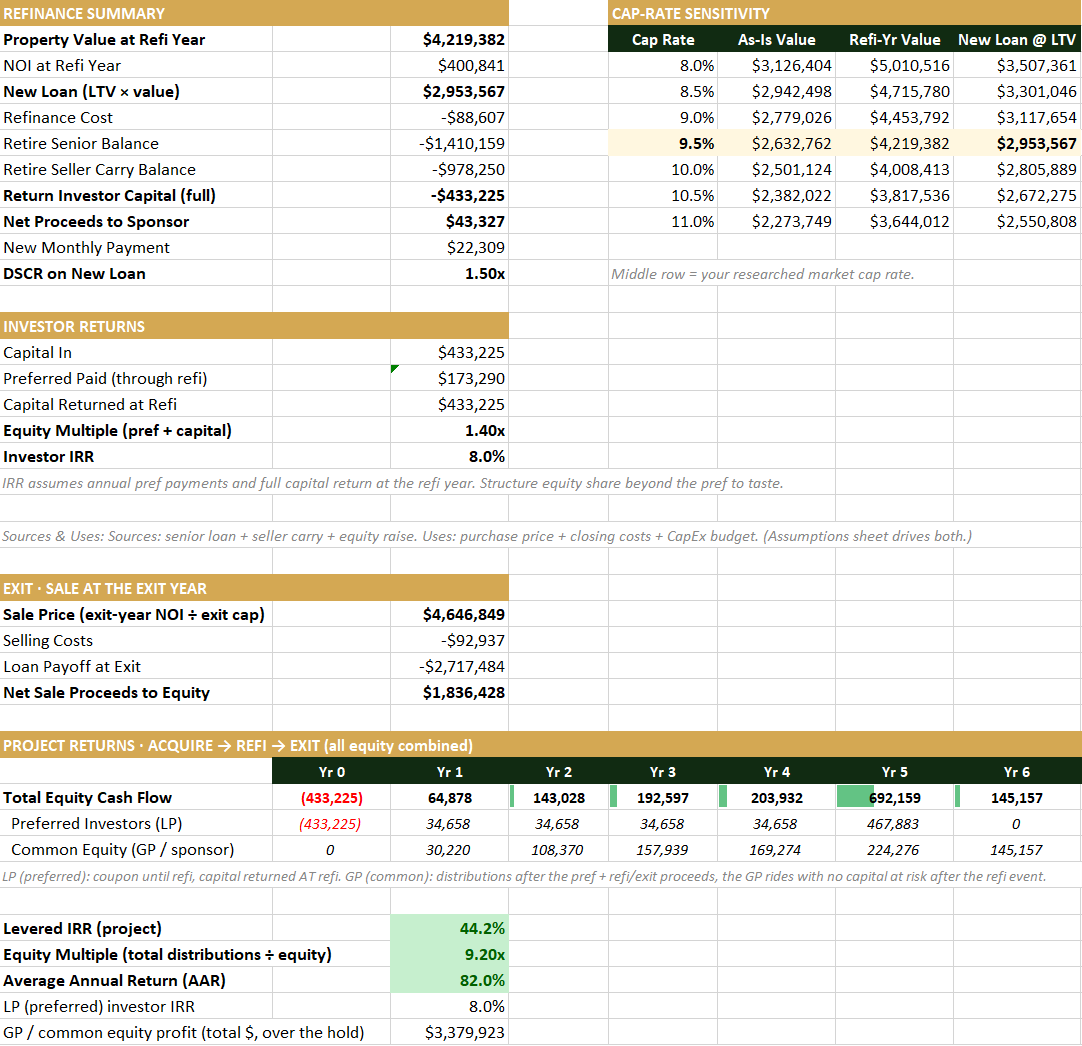
Your deal, already modeled
Most tools hand you a report. RVP Underwriter also hands you the model behind it: a live Microsoft Excel workbook, pre-populated with the deal's normalized income and expenses, financing, and returns. You open it and everything already ties out. No rebuilding a template from scratch at midnight before an offer is due.
What is inside
- Multi-year pro-forma with income, normalized operating expenses, and NOI carried forward.
- Sources and uses capturing your down payment, closing costs, and any rehab or reserves.
- Two-lien financing levers, down payment, first and second loan LTVs, both rates, and a cost-of-capital row, so a Morby stack or an SBA 504 maps straight onto it.
- Returns, projected IRR and equity multiple alongside cash-on-cash and DSCR.
Live, not static
It recomputes as you type. Yellow cells are inputs, override any of them and the whole workbook updates, colors included. Blue cells are linked across tabs; overtype one to decouple it. And the gold rows mark exactly the lines RVP Underwriter normalized, so you can see, and adjust, every judgment call. Type the actual R&M off last year's P&L into a gold cell and watch NOI, the offers, and the returns move.
Model the creative structures
Because the financing is fully levered, the model handles what a fixed template cannot: a zero-down stack, a seller carry in second position, an assumable first lien, closing costs rolled into the note. Set the levers and the returns follow. Learn the structures in making the offer with an LOI, then pressure-test them here.
Questions
Is it a real Excel file or a web table?
A real, downloadable Microsoft Excel workbook with working formulas across multiple tabs, not a static export. You can edit it offline, send it to a partner, or drop it into your own model.
Which cells can I change?
Yellow cells are inputs, type over any of them and the workbook recomputes live. Blue cells are cross-tab links you can overtype to decouple. Gold rows flag the lines RVP Underwriter normalized, so you can audit or adjust each one.
Which plan includes it?
The pre-populated Excel model is part of the Dealmaker plan, alongside the lender memo, investor deck, and negotiation playbook. Every plan can run the full underwriting; Dealmaker adds the document and model suite.
One of several deliverables generated from your confirmed numbers. See all features, or run a deal free.